My First Medium Post






So today I’m going to write about a couple of linux commands. I bet you’ve never heard about these ones before.
My First Medium Post
So today I’m going to write about a couple of linux commands. I bet you’ve never heard about these ones before.
1. cut

cut — remove sections from each line of files
cut OPTION… [FILE]…
2. uptime

uptime gives a one line display of the following information. a. the current time, b. how long the system has been running, c. how many users are currently logged on, and d. the system load averages for the past 1, 5, and 15 minutes.
usage: uptime [options]
3. tar
tar stores and extracts files from a tape or disk archive. it is The GNU version of the tar archiving utility.
usage: tar [-] A — catenate — concatenate | c — create | d — diff — compare | — delete | r — append | t — list | — test-label | u — update | x — extract — get [options] [pathname …]
4. netstat

It prints network connections, routing tables, interface statistics, masquerade connections, and multicast memberships
usage: netstat [address_family_options] [ — tcp|-t] [ — udp|-u] [ — raw|-w] [ — listening|-l] [ — all|-a] [ — numeric|-n] [ — numeric-hosts] [ — numeric-ports] [ — numeric-users] [ — symbolic|-N] [ — extend|-e[ — extend|-e]] [ — timers|-o] [ — program|-p] [ — verbose|-v] [ — continuous|-c]
5. fg

It continues a stopped job by running it in the foreground
usage: fg [ %job_id ]
6. top
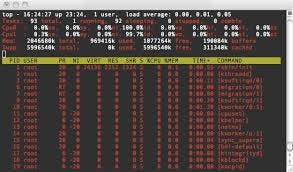
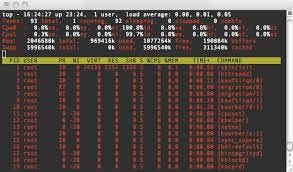
it provides a dynamic real-time view of a running system. It can display system summary information as well as a list of processes or threads currently being managed by the Linux kernel.
usage:
top -hv|-bcHiOSs -d secs -n max -u|U user -p pid -o fld -w [cols]
7. scp

opies files between hosts on a network. It uses ssh(1) for data transfer, and uses the same authentication and provides the same security as ssh(1). scp will ask for passwords or passphrases if they are needed for authentication
usage: scp [-12346BCpqrv] [-c cipher] [-F ssh_config] [-i identity_file] [-l limit] [-o ssh_option] [-P port] [-S program] [[user@]host1:]file1 … [[user@]host2:]file2v
8. ssh

is a program for logging into a remote machine and for executing commands on a remote machine. It is intended to replace rlogin and rsh, and provide secure encrypted communications between two untrusted hosts over an insecure network. X11 connections, arbitrary TCP ports and UNIX-domain sockets can also be forwarded over the secure channel.
usage: ssh [-1246AaCfgKkMNnqsTtVvXxYy] [-b bind_address] [-c cipher_spec] [-D [bind_address:]port] [-E log_file] [-e escape_char] [-F configfile] [-I pkcs11] [-i identity_file] [-L [bind_address:]port:host:hostport] [-l login_name] [-m mac_spec] [-O ctl_cmd] [-o option] [-p port] [-Q cipher | cipher-auth | mac | kex | key] [-R [bind_address:]port:host:hostport] [-S ctl_path] [-W host:port] [-w local_tun[:remote_tun]] [user@]hostname [command]
Yea! thats it i hope you learnt something new.
Bye